PipePort ChatContactInstall PipePort Chat

Telegram chats, right inside Pipedrive.

Connect Telegram and manage customer conversations from Pipedrive contact and deal records, without switching between the CRM and messenger.

Conversation history in CRMUnread message trackingEasy setup
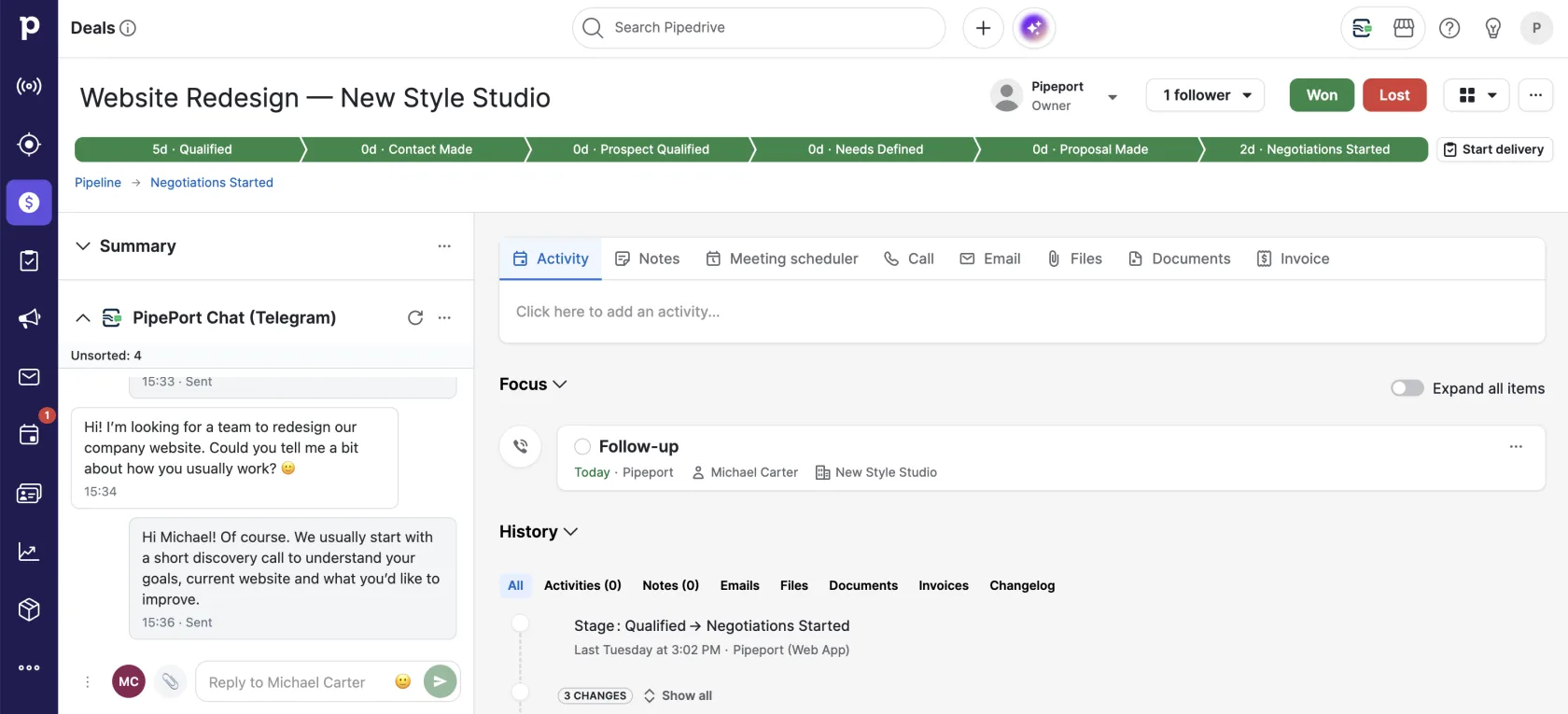
A Pipedrive deal card with the PipePort Chat panel: the Telegram conversation with the customer and the reply box.
Telegram + Pipedrivein one workflow

Bring Telegram into your team’s day-to-day work in Pipedrive.

PipePort Chat brings Telegram conversations and customer linking into one Pipedrive workflow.

Reply from contact and deal records

Managers can read customer messages and reply directly from Pipedrive.

Customer: Can we start next week?
Reply from Pipedrive

Link chats to the right CRM contact

Connect a conversation to an existing contact or create a new one when the customer is not in Pipedrive yet.

Stay on top of unread messages

For a chat with unread messages, PipePort Chat can create a Pipedrive activity and close it automatically once the conversation is read.

Telegram: unread message
From Telegram to CRM

From the first message to conversation history in Pipedrive.

1

The customer starts the conversation

The customer sends the first message to the Telegram bot. This is a Telegram Bot API limitation: the bot cannot start the conversation.

2

The manager replies from Pipedrive

The conversation appears in PipePort Chat, and the manager continues it from the deal or contact record.

3

The chat is linked to a CRM contact

Link the conversation to an existing contact or create a new one. Unlinked conversations stay in a dedicated list until your team processes them.

4

The conversation stays connected to CRM

Once linked, message text is added to the contact record as notes, so the conversation history stays in Pipedrive.

Everything your team needs for Telegram conversations in Pipedrive.

01

Chats in deal and contact records

Read the conversation and reply without opening Telegram.

02

Chats without a record

New conversations that are not linked to CRM yet are collected in a dedicated list for your team to review.

03

Full-screen workspace

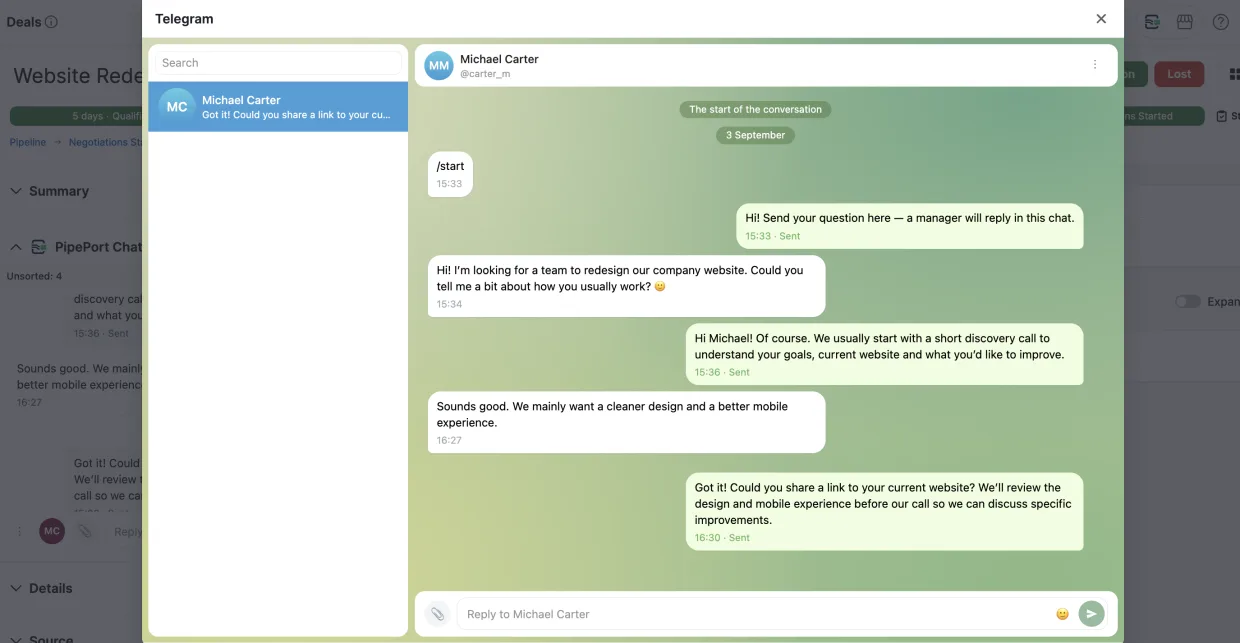
Open conversations in a larger workspace and search across chats.

04

File sharing

Send and receive supported attachments directly in the conversation.

05

Telegram invite links

Create a bot invite link from a contact or deal record and send it to the customer through any channel.

Getting started

From installation to your first chat in about 15 minutes.

The basic setup takes four steps.

01

Install PipePort Chat

Add the app from the Pipedrive Marketplace.

02

Create a Telegram bot

Open @BotFather, create your bot and copy its token.

03

Connect the bot to Pipedrive

Paste the token into PipePort Chat settings and wait for the connection confirmation.

04

Invite a customer

Create a link from a contact or deal record. Once the customer opens it and presses Start, the conversation appears in Pipedrive.

Plan

14 days free. Then one simple plan.

Your PipePort Chat plan applies to the connected Telegram bot, not to the number of Pipedrive users.

14-DAY FREE TRIAL

PipePort Chat

$39 / month

After the trial, continue on the paid PipePort Chat plan.

  • 1 Telegram bot
  • Unlimited chats, messages and users
  • Automatic phone-based chat linking
  • Chat visibility: all managers or the owner of the related contact/deal
  • 1 GB attachment storage
  • 365-day attachment retention
  • Files up to 5 MB

Frequently asked questions about PipePort Chat

No. Telegram Bot API does not allow a bot to start a conversation. The customer must send the first message.
Once a chat is linked, message text is added as notes to the Pipedrive contact record. Files themselves are not copied into the CRM: the note stores the attachment name, while the file is opened from PipePort Chat.
No. PipePort Chat supports private 1:1 conversations only.
No. The current version works in the Pipedrive web interface.
The number of users is not limited by your PipePort Chat plan. The plan applies to the connected Telegram bot.
A single file can be up to 5 MB. On the PipePort Chat plan, attachments are retained for 365 days; conversation text does not have the same plan-based expiration.

Connect Telegram to Pipedrive with PipePort Chat.

Install the app, connect your Telegram bot and continue customer conversations directly in the CRM.